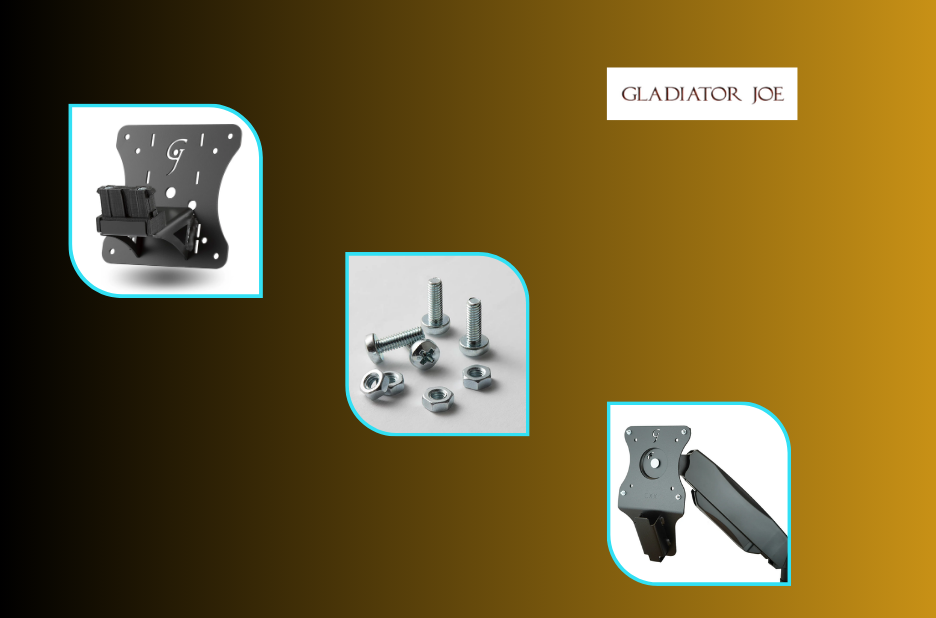
What VESA mounting offers
When you set up a workstation or entertainment space, a solid mounting solution can transform usability. Vesa adapters usa provide a bridge between different mounting patterns and standard monitor stands. These adapters are crucial when you want to reuse existing mounts with newer displays or swap between devices Vesa adapters usa without buying a new setup. The right choice reduces desk clutter and improves ergonomics by allowing smoother adjustments for tilt, swivel, and height. Practical durability matters, so look for sturdy materials and secure attachment points that don’t loosen over time.
Choosing the right vesa adapter monitors setup
Selecting a vesa adapter monitors configuration begins with checking the VESA hole pattern on your screen and on your mount. Compatibility varies, so verify the adapter’s supported spacings, such as 75×75, 100×100, or non standard measures. It helps to keep load ratings in mind; heavier vesa adapter monitors displays demand stronger adapters and fasteners. Reading user reviews can reveal subtle issues like wobble or pinching after extended use. A well chosen adapter maintains alignment, ensuring uniform viewing distances and reducing neck strain during long work sessions.
Installation tips for secure fit
Installing Vesa adapters usa requires careful steps to avoid damage. Begin by removing any existing hardware and cleaning the mounting surfaces. Align the adapter with the monitor’s mounting pattern, then attach it with the provided screws, tightening in a criss cross sequence to distribute pressure evenly. Ensure the overall assembly remains level by checking with a spirit level. If the adapter introduces additional depth, compensate with compatible arms or extendable stands. Regularly inspect screws and joints for signs of loosening to preserve stability over time.
Common pitfalls and how to avoid them
Many users run into issues because they overlook weight limits or misread hole patterns. Always confirm that the adapter’s weight rating matches or exceeds the combined weight of the monitor and any mounting hardware. Misaligned patterns can cause stress on corners or edges, leading to cracking or unstable mounts. Another frequent error is choosing an adapter for a slim monitor but mounting a bulkier unit instead. Double check dimensions and ensure the vertical footprint fits your desk space without obstruction.
Conclusion
For practical mounting upgrades, start with a clear assessment of your monitor size, weight, and the existing mount’s compatibility. Vesa adapters usa unlock flexibility, letting you repurpose or reconfigure displays without replacing whole systems. If you are balancing multiple screens or rearranging a workspace, consider investing in adapters that offer secure fasteners and precise adjustment ranges. Visit GLADIATOR JOE for more insights and related tools that simplify home and office setups.